Note
Go to the end to download the full example code.
Define and solve user equation
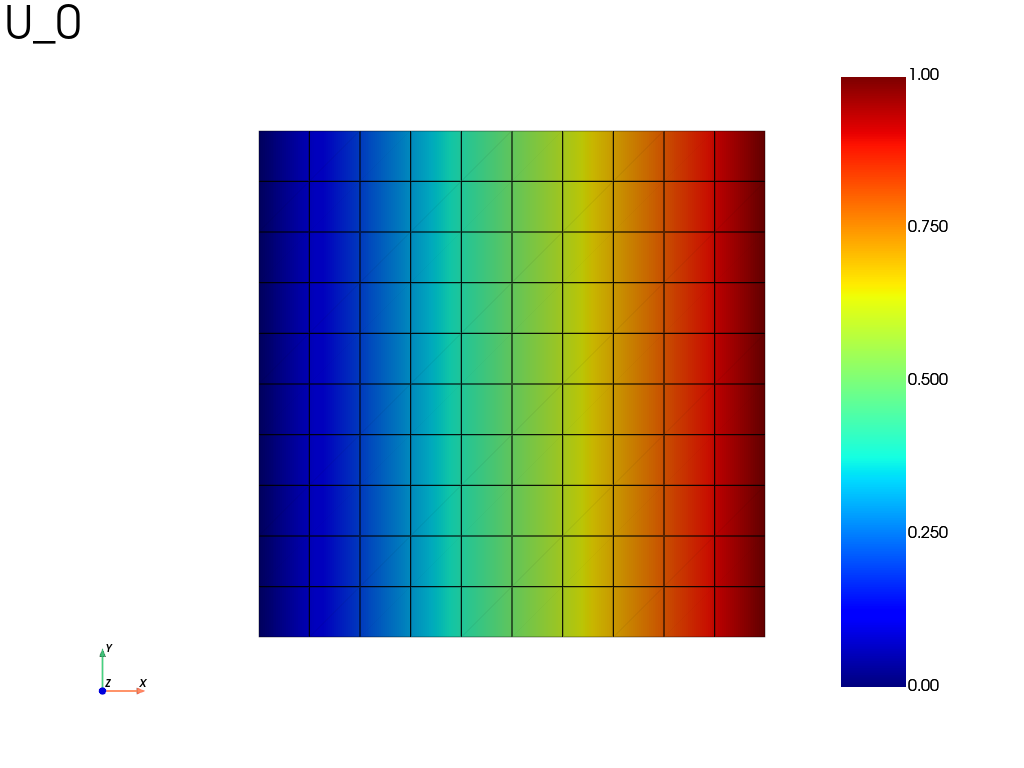
Basic example that shows how to define the Poisson equation \(-\Delta U = f\) from its weak form and how to solve it with Dirichlet boundary conditions. Here \(f = 0\) (Laplace equation), so the solution is the linear field \(U = X\).
import fedoo as fd
Define a modeling space and add a variable “U” to this space. A “2D” problem includes by default the coordinates “X” and “Y”.
space = fd.ModelingSpace("2D")
U = space.new_variable("U")
Set the equation to solve on a weak form
The space.derivative and space.variable functions create differential
operators that can be combined with the +, - and * operators to build the weak
form. The virtual property sets the variable as virtual (test function, in
the sense of weak equations).
dU_dX = space.derivative("U", "X")
dU_dY = space.derivative("U", "Y")

wf = fd.WeakForm(dU_dX.virtual * dU_dX + dU_dY.virtual * dU_dY, name="Poisson Equation")
Define the integration domain (mesh)
mesh = fd.mesh.rectangle_mesh()
Assemble the global matrix, define a linear problem, add boundary conditions and solve the problem
fd.Assembly.create(wf, mesh, name="assembly")

pb = fd.problem.Linear("assembly")
pb.bc.add("Dirichlet", "left", "U", 0)
pb.bc.add("Dirichlet", "right", "U", 1)

pb.solve()

res = pb.get_results("assembly", ["U"])
res.plot("U")
Total running time of the script: (0 minutes 0.232 seconds)