Note
Go to the end to download the full example code.
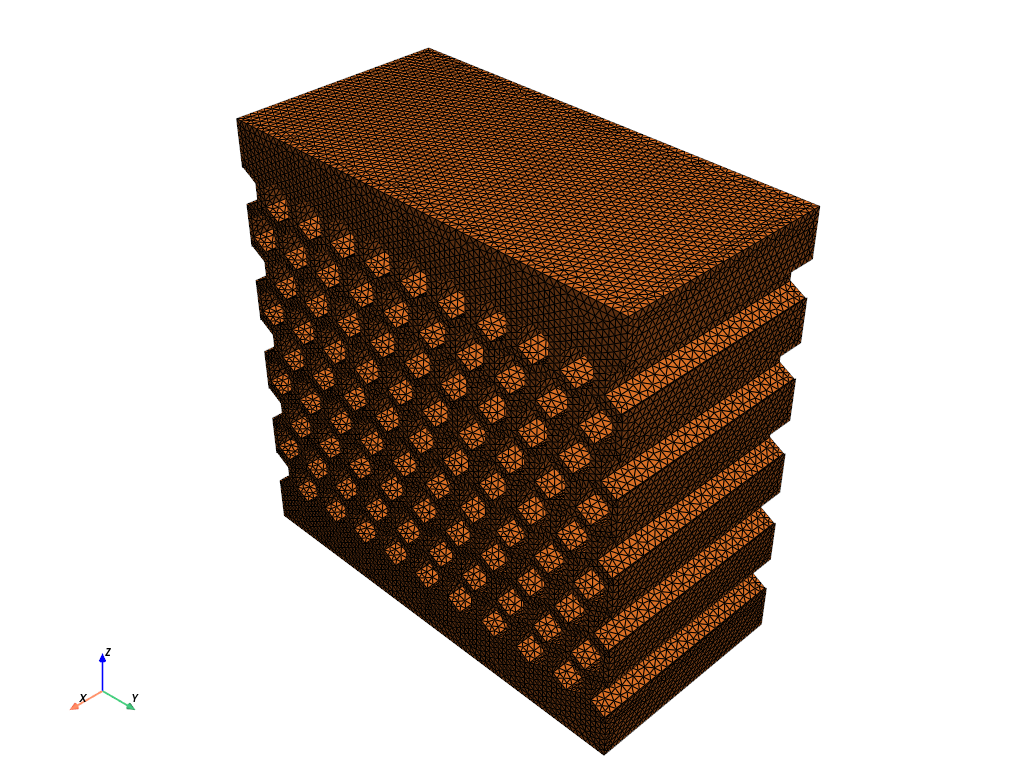
Honeycomb
A honeycomb obtained by cutting hexagonal prisms out of a box with
microgen.cut_phase_by_shape_list(), then meshed with gmsh.
Requires the CAD backend: pip install microgen[cad].
import numpy as np
import pyvista as pv

from microgen import Box, ExtrudedPolygon, Phase, cut_phase_by_shape_list, mesh

side_length = 2.5  # side in mm of the hexagon
poly_height = 2.5  # height in mm of the hexagon
theta = 30 * np.pi / 180  # half angle of the hexagone

h0 = 0.5 * poly_height
h1 = np.cos(theta) * side_length
h2 = abs(np.sin(theta) * side_length)

thickness = 30  # mm

data_file = "honeycomb_seeds.data"
seedList = np.genfromtxt(data_file, delimiter="\t")

box = Box(dim=(thickness, 60, 60))

shapeList = []
for seed in seedList:
    poly = ExtrudedPolygon(
        center=(seed[0] - thickness, seed[1], seed[2]),
        list_corners=[
            (0, h2 + h0),
            (h1, h0),
            (h1, -h0),
            (0, -h2 - h0),
            (-h1, -h0),
            (-h1, h0),
            (0, h2 + h0),
        ],
        height=thickness,
    )
    shapeList.append(poly.generate_cad())

boxPhase = Phase.from_cad(box.generate_cad())

honeycomb = cut_phase_by_shape_list(phase_to_cut=boxPhase, shapes=shapeList)

step_file = "honeycomb.step"
stl_file = "honeycomb.stl"
honeycomb.cad.export_step(step_file)
honeycomb.cad.export_stl(stl_file)
vtk_file = "honeycomb.vtk"
mesh(
    mesh_file=step_file,
    list_phases=[honeycomb],
    size=1,
    order=1,
    output_file=vtk_file,
)
pv.read(vtk_file).plot(show_edges=True, color="#ef7d2d")
Total running time of the script: (0 minutes 15.086 seconds)